Seedance 2.0 vs Sora: Which One Is Better for AI Video?
 RoboNeo TeamSeptember 9, 2026
Seedance 2.0 and Sora 2 can both generate AI videos with sound, but they are designed for different types of creative work. Seedance 2.0 supports multimodal references, including text, images, video, and audio, while Sora 2 focuses more on prompt-led generation, realistic motion, visual quality, and synchronized sound.
This Seedance 2.0 vs Sora comparison covers video quality, motion, audio, consistency, creative control, cost, availability, and the projects each model is best suited to. "Sora" here refers mainly to Sora 2 rather than the original Sora released in 2024.
What Is Seedance 2.0?
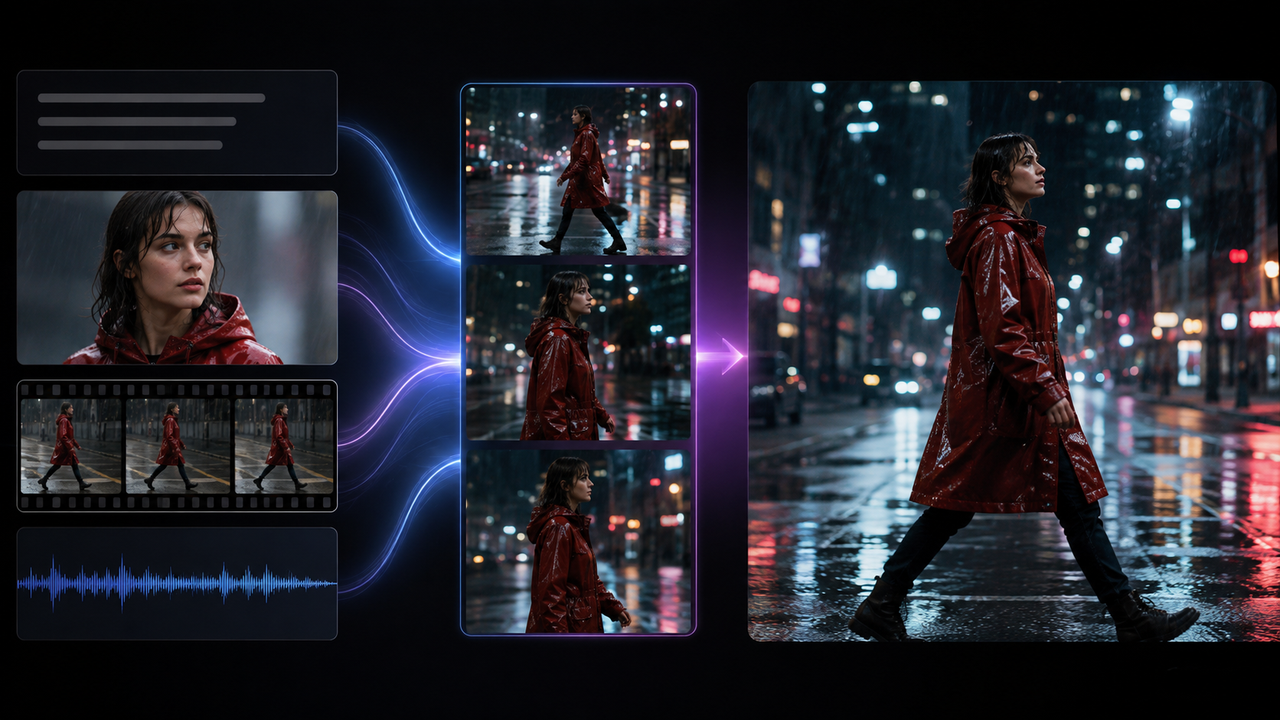
Seedance 2.0 gives creators more ways to guide a video than a written prompt alone. Its range of reference inputs is especially useful when a project already has visual or audio material.
Developed by ByteDance's Seed team, Seedance 2.0 accepts text, images, video, and audio. These inputs can influence composition, movement, camera direction, visual style, and sound. The model also supports multi-shot creation and joint audio-video generation.
Creators who want to experiment with the model through a creative platform can also try Seedance 2.0 on RoboNeo.
Advantages of Seedance 2.0
Its biggest advantage is the range of reference material that can shape the result. A product image can establish appearance, an existing clip can guide camera movement, and an audio track can influence pacing.
That flexibility is valuable for product ads, music videos, branded content, and short narrative scenes. When the creative direction already exists, creators do not have to describe every visual detail from scratch.
Limitations of Seedance 2.0
Reference material improves control, but it does not guarantee exact results. Faces, clothing, products, and backgrounds can still change between shots, while logos, package copy, and small graphics may need to be corrected afterward.
The platform also makes a difference. A service may offer Seedance 2.0 without supporting every input type, generation length, resolution, or editing feature available in the underlying model.
What Is Sora 2?
Sora 2 takes a more prompt-first approach to video generation. It is particularly focused on turning a written idea or reference image into a complete moving scene with synchronized sound.
Sora 2 is OpenAI's video and audio generation model. Compared with the original Sora, it places more emphasis on physical accuracy, realism, controllability, and synchronized dialogue and sound effects.
Advantages of Sora 2
Sora 2 can turn a relatively short description into a detailed scene. A filmmaker exploring a rainy street at night might define the subject, environment, camera movement, and mood without preparing several different reference files.
Its range covers realistic footage as well as cinematic, animated, and more stylized visuals. Since sound is generated with the scene, creators can also get a clearer sense of the overall mood during early concept testing.
Limitations of Sora 2
Sora 2 offers fewer reference formats than Seedance 2.0 when a project depends on existing video or audio. Complex hand movements, crowded scenes, and interactions between several people or objects can also remain difficult.
Availability is now its biggest limitation. The Sora web and app experiences were discontinued on April 26, 2026, and the Sora API is scheduled to shut down on September 24, 2026.
Seedance 2.0 vs Sora at a Glance

The biggest differences become clearer when the two models are placed side by side. Rather than naming a universal winner, the table focuses on factors that affect real production.
| Feature | Seedance 2.0 | Sora 2 |
| Developer | ByteDance Seed | OpenAI |
| Current Model | Seedance 2.0 | Sora 2 |
| Supported Inputs | Text, image, video, audio | Mainly text and image |
| Audio Generation | Yes | Yes |
| Reference Control | Broad multimodal reference support | More limited reference formats |
| Multi-Shot Support | Yes | Available within its creation tools |
| Motion Quality | Strong action and camera control | Strong physical motion and realism |
| Visual Consistency | References help, but drift can still occur | Strong in many scenes, but not guaranteed |
| Editing Options | Depends on the platform | Previously available through Sora products |
| Output Options | Depends on the platform | Depended on product or API settings |
| Current Access | Available through supporting platforms | Web and app discontinued; API shutdown scheduled |
| Pricing Model | Depends on provider | API pricing applies while available |
| Best For | Projects built around reference assets | Prompt-led visual exploration |
| Main Limitation | Features differ by platform | Limited remaining availability |
Resolution, clip length, pricing, and export options should always be checked with the platform being used rather than assumed from the model name alone.
How the Video Results Compare
Specifications only tell part of the story. Once the models are used in a real project, visual detail, movement, sound, and continuity usually matter more than a long list of features.
Visual Quality
Both models can produce polished footage, although their strengths show up in different situations.
Seedance 2.0 is particularly useful when the intended look already exists. A fashion team can provide character, clothing, or campaign references so the generated scene stays closer to an established visual direction.
Sora 2 is well suited to building rich environments from a relatively concise description, especially when atmosphere, realism, and style are the main priorities.
For a fair Seedance vs Sora test, use the same prompt, aspect ratio, duration, and similar output settings. Platform compression can otherwise make one result appear sharper than another.
Motion and Physics
Convincing movement involves more than moving a subject from one position to another. Body mechanics, object contact, camera movement, fabric, and environmental changes all influence whether a scene feels believable.
Seedance 2.0 can use video references to guide both action and camera direction. A shoe brand could provide an existing slow orbit around a product and ask the generated shot to follow a similar camera path.
Sora 2 places particular emphasis on realistic movement and physical behavior. Neither model, however, is guaranteed to handle complex interactions perfectly, especially when several people or objects are moving at once.
Audio and Dialogue
Both models can generate sound alongside video, but Seedance 2.0 offers another layer of guidance through audio references.
A music-driven social clip could start with an existing track so that movement or camera changes follow its rhythm, provided the platform supports audio references.
Sora 2 can generate synchronized dialogue and sound effects as part of the scene. Important spoken lines should still be reviewed manually when pronunciation, timing, or exact brand wording matters.
Character and Scene Consistency
Consistency becomes more important once a project moves beyond a single shot. Changes in clothing, faces, props, product shape, or background details can quickly stand out when several clips are edited together.
Seedance 2.0's multimodal inputs give creators more ways to keep an existing subject recognizable. When appearance matters, reference image-to-video can provide a clearer visual starting point than recreating the subject from text for every shot.
Neither model guarantees perfect continuity across a longer sequence. For projects such as making a short film, generating scenes separately and assembling the strongest takes afterward usually gives creators more control over characters, props, and transitions.
How the Workflows Compare
A great-looking clip is only one part of a practical production process. Input options, platform access, retries, and output restrictions can affect daily use just as much as visual quality.
Inputs and Creative Control
This is one of the clearest differences in Seedance 2.0 vs Sora 2.
Seedance 2.0 accepts text, images, video, and audio references. An agency with official product photography, a preferred camera move, and an existing soundtrack can bring all of them into the same project rather than trying to communicate everything through one long prompt.
Sora 2 is better suited to prompt-led exploration or projects that begin with a written concept or single image. That simpler starting point can be useful when the goal is to discover a new direction instead of reproducing an established look.
The model itself is only one part of the process. When creating AI videos, creators still need to prepare prompts and source material, review generations, select usable clips, and handle final editing.
Platforms and Availability
Availability has become an important part of the comparison. A model may produce excellent results but still be a poor fit for an ongoing project if access is about to end.
Seedance 2.0 remains available through platforms that integrate the model, although supported inputs, model versions, and regional availability may differ.
Sora 2 is in a different position. Its web and app experiences have already been discontinued, while its API is scheduled to close on September 24, 2026. For existing users, the remaining period is better used for completing tests or moving projects elsewhere than for building a new long-term production setup.
Cost and Output Options
Subscription prices and credit counts do not tell the whole story. A useful cost comparison should also include failed generations, retries, clip length, resolution, audio, and export restrictions.
Seedance 2.0 pricing and output options depend on the provider. Sora 2 API costs also vary according to output settings while the service remains available.
In practice, cost per usable clip is more meaningful than cost per generation. A cheaper attempt may cost more overall if several versions have to be discarded before one is usable.
Which Model Should You Choose?
The better model depends on how the project will actually be produced. Existing assets, the amount of creative control required, and future access matter more than which system produces the most impressive demo.
When to Choose Seedance 2.0
Seedance 2.0 is generally the stronger option when a project already has visual or audio material that needs to guide the final video.
It is worth considering when you:
Need to combine text, image, video, and audio references.
Already have established characters, products, locations, or movement references.
Create product videos, ads, music clips, or multi-shot stories.
Need a production setup that can continue beyond a short testing period.
Reference control can be especially valuable in product video production, where the shape, materials, packaging, and other product details often need to stay recognizable from shot to shot.
Creators who want to test different models and generation options can also start with RoboNeo and check the available inputs, credits, and output settings before committing to a larger project.

When to Choose Sora 2
Sora 2 now makes the most sense for people who already have API access rather than teams starting from scratch.
It can still be useful for comparing its motion, visual style, and synchronized audio with other models, or for completing existing benchmarks before the API shuts down.
Any project expected to continue beyond September 24, 2026 should already have another model or platform in place.
Test Both with the Same Brief
If both models are available to you, a controlled test will tell you more than curated showcase clips.
Keep the prompt, reference material, aspect ratio, duration, and intended action as similar as possible. Then compare visual quality, consistency, audio, control, generation time, failed attempts, cost per usable clip, and export conditions.
The right choice is the model that delivers usable results most consistently for your project, not the one that wins a single visual comparison.
FAQ
Is Seedance 2.0 better than Sora 2?
There is no universal winner. Seedance 2.0 is generally more practical when multimodal references, visual consistency, and continued platform access matter. Sora 2 still has strengths in physical motion, visual realism, and synchronized sound, but its shutdown schedule makes it less practical for many new projects.
Is Sora 2 still available?
The Sora web and app experiences are no longer available. They were discontinued on April 26, 2026, and the Sora API is scheduled to shut down on September 24, 2026. Existing users should check OpenAI's latest guidance on data export and discontinuation.
Can Seedance 2.0 and Sora 2 generate sound?
Yes. Both models generate video with sound. Seedance 2.0 can also accept audio as a reference input, although the controls available to users depend on the platform. Sora 2 supports synchronized dialogue and sound effects.
Which model is better for product videos?
Seedance 2.0 is generally more practical when existing product images and other references need to guide the result. Logos, package copy, and small text should still be checked or added in post-production. Pricing, resolution, and commercial terms should also be considered.
Can I use Seedance 2.0 or Sora 2 commercially?
Commercial use depends on the platform, account plan, and current terms. Creators also need the appropriate rights to any images, footage, voices, people, characters, or branded assets used as references. Access to the model itself does not remove copyright, likeness, or trademark requirements.
You May Be Interested
Seedance 2.0: The Best Cinematic AI Video Generator for Social Media Ads?
Best AI Text to Video Generator: Tools Compared for 2026
Best AI Video Generator 2026: 6 Top Tools Compared
Limitations of AI Video Generation: What You Need to Know
How to Use Seedance 2.0: Inputs, Prompts, and Final Edit
What Is Seedance 2.0: Benefits, Workflow, Uses, and Limits
Where Can I Use Seedance 2.0: Compare the Best Platforms